


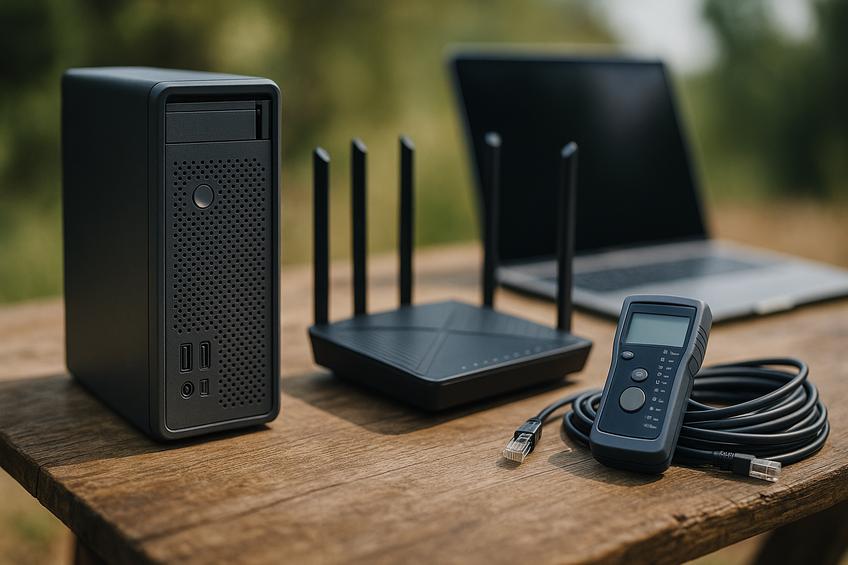
Importance of Quality IT Equipment for Remote Work
In today's remote work environment, having the right IT equipment is crucial for maintaining productivity and ensuring seamless connectivity. Effective remote work gear includes high-performance laptops, reliable internet connections, and essential peripherals that support clear communication and efficient workflow. The appropriate tools not only help remote workers stay connected with their teams but also enhance collaboration, data security, and overall work-life balance. As remote work continues to grow, investing in quality IT equipment becomes a foundational step toward achieving sustained productivity and operational reliability according to HP's guide on remote work tools.
Learn more about how remote monitoring can enhance business uptime and support remote work teams in our article on remote monitoring benefits.
Advantages of Portable Servers for Remote Work
Portable servers have become essential tools for remote work, offering the ability to bring office functionality wherever you go. These compact, mobile devices enable users to host applications, manage files, and maintain secure access to business resources without relying solely on cloud services.
Key features to look for in portable servers include lightweight design, robust security protocols, sufficient processing power, and flexibility to support various remote workloads. Many portable servers support containerization technologies like Docker, allowing for easy deployment of multiple applications in isolated environments, which is particularly beneficial for developers and IT professionals working remotely in this guide.
Advantages of portable servers include enhanced data privacy compared to cloud-only solutions, reduced latency by having local access, and independence from constant internet connectivity. They also support personal control of data and can serve as a reliable backup or disaster recovery system.
Ready-made solutions range from compact mini PCs specifically designed for server tasks to ruggedized NAS (Network Attached Storage) devices with server capabilities. For tech-savvy users, DIY alternatives using small-form-factor PCs or single-board computers like Raspberry Pi offer customizable and budget-friendly options. For businesses looking to streamline remote work with professional hosting and security, exploring managed hosting services and cybersecurity tools can provide comprehensive support. Learn more in our detailed IT support strategies for hybrid work.
Choosing the Right Router for Remote Work
Selecting the right router is crucial for ensuring seamless connectivity, especially for remote work environments that demand high performance, robust security, and portability. Here are key considerations and some recommended router types that cater to these needs:
High Performance: Look for routers that support the latest Wi-Fi standards such as Wi-Fi 6 or Wi-Fi 7, which offer faster speeds, lower latency, and better handling of multiple devices simultaneously. Models like the TP-Link Archer AX20 provide excellent value with advanced features suitable for home offices.
Robust Security: Security features are essential to protect sensitive work data. Choose routers with built-in firewalls, support for WPA3 encryption, and the capability to integrate VPNs. Some routers also include advanced features like automatic firmware updates and security monitoring learn about EdgeRouter 3.0’s new security and interface features on the Barreras IT blog.
Portability and Ease of Setup: For professionals who work from various locations, routers with compact design and easy management interfaces are ideal. Mesh Wi-Fi systems can also be considered for larger home offices or multi-room setups to ensure consistent coverage.
Ubiquiti's EdgeRouter series, with their recent 3.0 upgrade, offer professional-grade security options such as WireGuard VPN support and enhanced configuration interfaces, making them a strong choice for tech-savvy users who prioritize security and customization in their remote work setups for more detailed setup guidance at RTINGS.com.
Tools and Accessories to Boost Remote Work Productivity
Enhancing productivity while working remotely involves the smart use of various tools, apps, and gadgets that streamline tasks and improve comfort. Here are some essential categories and examples to consider:
Peripherals: High-quality webcams and noise-cancelling headsets improve communication clarity during virtual meetings. Ergonomic keyboards, mice, and adjustable monitors reduce physical strain, promoting better posture and comfort for long work sessions.
Productivity Apps: Task management and collaboration platforms like Asana, Trello, and Microsoft Teams keep teams aligned and projects on track. AI-powered tools are increasingly valuable, automating routine workflows and helping with time management. For example, AI writing assistants and smart scheduling apps reduce time spent on emails and meetings explore the latest AI productivity tools recommended for 2025 at Zapier.
Ergonomic Accessories: Adjustable standing desks and ergonomic chairs support healthy work habits by encouraging movement and proper seating posture. Additionally, accessories like laptop stands, footrests, and wrist supports help prevent musculoskeletal issues.
Integrating these tools thoughtfully can transform a remote workspace into a more efficient and comfortable environment, enabling sustained productivity and well-being. Learn more about optimizing IT services for remote work success in our IT Support for Hybrid Work guide.
Creating an Optimal Remote Work Environment
Optimizing your remote work setup is essential for maintaining productivity, connectivity, and comfort in a home office environment. Investing in the right IT equipment and tools not only supports seamless communication and collaboration but also enhances employee well-being by creating a personalized and efficient workspace.
Additionally, creating a comfortable and adaptable work environment tailored to personal preferences boosts creativity and reduces stress, contributing to better mental health and overall job satisfaction as explained by Global Expansion. Continuous training on new tools and security practices further empowers remote employees to maintain high performance and mitigate risks.
By prioritizing proper IT gear and support, remote workers can enjoy a balanced, productive, and comfortable work experience, ultimately benefiting both individuals and organizations alike.
Sources
- Barreras IT - How Remote Monitoring Enhances Business Uptime
- Barreras IT - EdgeRouter 3.0 Upgrade Guide: New Interface, WireGuard, and Security
- Barreras IT - IT Support For Hybrid Work: Keeping Remote Teams Connected
- Global Expansion - Beyond Office Walls: How Remote Work Cultivates a Happy, Productive Workforce
- HP - Essential Remote Work Tools: Complete Guide
- Hostbor - 25 Must-Have Home Server Services
- Zapier - Best AI Productivity Tools
- RTINGS.com - Best Wi-Fi Routers for Remote Work