


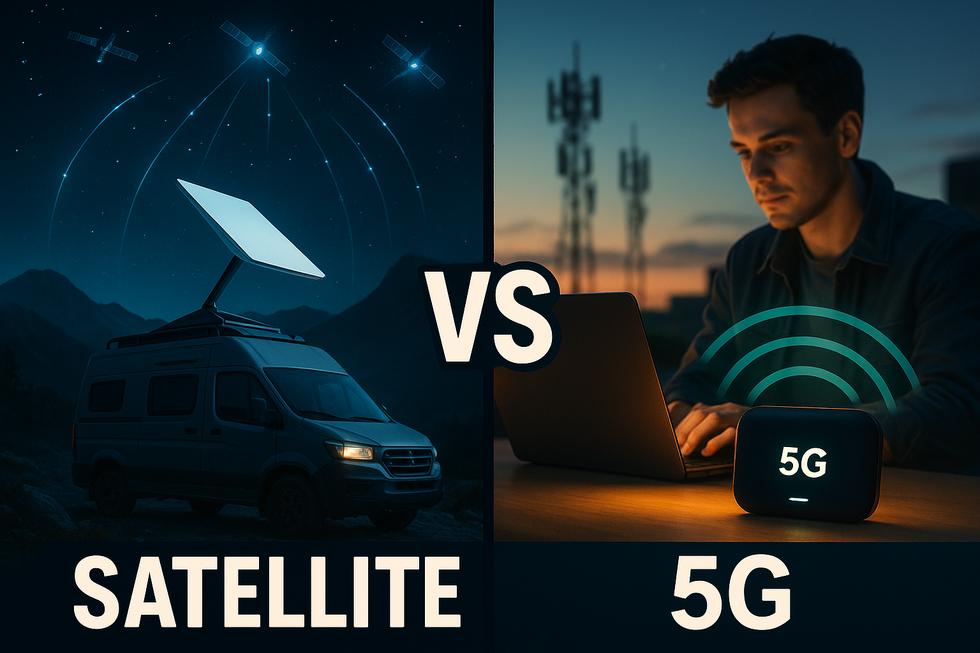
Introduction: Starlink vs. 5G LTE — Which Remote Internet Solution Is Right for You?
Finding fast, reliable internet away from city infrastructure is no longer a niche problem — it's a daily challenge for remote workers, RV owners, digital nomads, construction site managers, and event organizers alike. Two technologies have risen to the top of the conversation: Starlink, SpaceX's low-Earth orbit (LEO) satellite network, and 5G LTE, the latest generation of cellular broadband offered by carriers like T-Mobile, Verizon, and AT&T. Both promise high-speed connectivity beyond the reach of cable or fiber — but they serve very different use cases.
The differences come down to where you are, how you work, and what you're willing to spend. Starlink requires a clear view of the sky but works virtually anywhere on the map — making it the go-to for deep rural and off-grid scenarios. 5G LTE, by contrast, depends on proximity to a cell tower, yet it tends to be more affordable and simpler to set up, with monthly plans often running $50–$60 vs. Starlink's $120+ per month, plus Starlink's hardware cost of $249–$349 upfront (Source: SatelliteInternet.com).
For RVers and nomads, the choice rarely has a single right answer. As USA Today notes, "Starlink is best for RVers who roam far beyond tower coverage," while 5G shines in urban and suburban corridors where towers are dense (Source: USA Today). Many power users ultimately run both in tandem — using 5G where cell signal is strong and switching to Starlink when they venture off the grid.
In this guide, you'll get a clear, side-by-side look at speed, coverage, hardware, pricing, and real-world performance — so you can stop guessing and confidently choose the setup that fits your life.
In our experience supporting clients with remote work setups—from RVers exploring the backcountry to construction teams at off-grid sites—reliable connectivity often comes down to the unique demands of each scenario. We've tested both Starlink and 5G LTE in real-world conditions, finding that signal strength, weather, and data needs can shift the "best" solution overnight. Clients we've worked with frequently report peace of mind when running both services in tandem, as it minimizes downtime and ensures that they're never left disconnected, no matter where their work or travels take them.
Speed, Latency & Reliability: How Starlink and 5G LTE Actually Perform
Marketing sheets promise the best case. Real-world use rarely delivers it. Here's what the numbers actually look like once you're in the field.
Download & Upload Speeds
Starlink's residential service typically delivers 50–250 Mbps download with upload speeds of 10–20 Mbps, thoughOokla Speedtest data (Q1 2025) shows median downloads ranging from ~72 Mbps in rural Alaska to ~137 Mbps in Maine. Urban and suburban 5G can push 300–400+ Mbps download with uploads often matching or exceeding Starlink's, but rural 5G Fixed Wireless Access (FWA) frequently sits under 100 Mbps — and LTE-only areas often yield just 5–50 Mbps(Source: Hostbor).
Latency: Where They Diverge Most
This is the clearest differentiator. Starlink's low-Earth orbit constellation keeps latency in the 25–60 ms range, occasionally dipping to the low 20s under ideal conditions(Source: UDPWR). Strong 5G delivers 10–30 ms — meaningfully better for real-time video calls, remote desktop sessions, and latency-sensitive work. For most field applications like file uploads, email, and video conferencing, Starlink's latency is perfectly workable; for low-latency trading or real-time machine control, 5G wins when coverage exists.
Consistency: Weather, Congestion & Motion
- Starlink: Heavy rain and snow can degrade signal. Peak-hour congestion causes variability, but geographic coverage is near-universal — only a clear sky view is required. Roam/In-Motion plans work in moving RVs and vessels, typically delivering 95–237 Mbps while mobile (Source: Biotioo).
- 5G LTE: Weather-resistant but highly tower-dependent. A strong signal near a tower yields rock-solid consistency; move 10 miles into a rural gap and speeds collapse to weak LTE or no service at all. Congestion at shared towers during events or peak hours can also throttle speeds dramatically.
Bottom Line
For truly remote locations — ranches, construction sites, backcountry events — Starlink delivers far more reliable coverage. Within range of a strong 5G tower, cellular edges ahead on latency and peak speed. Many power users deploy both as a failover pair, ensuring connectivity never fully drops regardless of conditions.
Pricing, Hardware & Contracts: Breaking Down the Real Costs of Each Option
The headline monthly price rarely tells the whole story. To make an informed decision, you need to account for upfront hardware, service plan fees, data caps, and contract flexibility—all of which differ significantly between Starlink and 5G LTE.
Starlink Mini: Higher Upfront, No Contract
The Starlink Mini dish has dropped sharply in price—from $599 at launch to roughly $249–$299 today, a reduction of nearly 67% in under two years (Source: SatelliteInternet.com). Add the Roam 50GB plan at ~$50/month, and your Year 1 total cost sits around $550–$650. There are no long-term contracts—you can pause or cancel monthly—but data beyond your plan allotment is billed at roughly $2/GB (Source: Poynting Tech). For heavy users, that overage model adds up fast.
5G LTE Hotspots: Lower Entry Cost, Watch the Data Caps
A quality 5G mobile router or hotspot (e.g., T-Mobile, AT&T, or Verizon-compatible device) typically runs $0–$150 upfront, especially when bundled with a carrier plan. Monthly service ranges from $25–$80/month depending on data tier—AT&T, for example, offers 100GB hotspot data at $80/month (Source: CompareInternet). Some carriers lock users into 12–24 month agreements to unlock the best rates, which reduces flexibility for nomadic or seasonal users.
Total Cost of Ownership at a Glance
- Starlink Mini (Year 1): ~$550–$650 | No contract | Global coverage | Pay-per-GB overages
- 5G LTE Hotspot (Year 1): ~$360–$1,110 | Contract or no-contract options | Coverage-dependent | Hard data caps or throttling
For backup internet scenarios—where two connections run in tandem—the lower monthly cost of 5G LTE makes it an attractive secondary link. A proper dual WAN failover setup lets you combine both connections so neither disruption nor overage costs catch you off guard.
Bottom line: If you need coverage anywhere with no strings attached, Starlink Mini wins despite higher upfront costs. If you're in a well-covered area and want the lowest monthly spend, a no-contract 5G plan edges ahead—just mind the data caps.
Coverage & Flexibility: Where Each Technology Works Best (and Where It Fails)
The single biggest factor separating Starlink from 5G LTE isn't speed — it's where each signal can actually reach you. Understanding that difference helps RV owners, digital nomads, construction managers, and backup-internet seekers make the right call before spending a dollar.
Starlink: Sky's the Limit (Literally)
Starlink's low-Earth-orbit satellite constellation delivers coverage across all 50 U.S. states — and most of the globe — as long as you have an unobstructed view of the sky. That makes it uniquely suited for truly off-grid locations: mountain job sites, rural farmsteads, and backcountry campsites where no carrier has ever planted a tower. Starlink's mobile plans extend that reach to in-motion use, letting RV travelers maintain connectivity across state lines (Source: Open Sky Rentals – Starlink Coverage Guide 2025). The trade-off: dish setup requires a stable, level mount and occasional repositioning in heavy tree cover or dense terrain.
5G LTE: Fast in Range, Blind Beyond It
5G LTE can deliver blazing speeds — often rivaling wired broadband — but only within range of a carrier tower. In rural and remote areas, true 5G infrastructure is sparse; many locations fall back to 4G LTE, where download speeds typically land between 5–50 Mbps (Source: Hostbor – Starlink vs. 5G LTE Guide). Urban and suburban users benefit most from 5G's tower density, lower latency, and broader carrier competition — translating to more flexible, often cheaper plans.
Portability & Switching Locations
5G LTE wins on frictionless mobility: pop a SIM into a mobile hotspot and you're connected wherever a tower exists — no extra plan upgrade needed. Starlink's portability works across coverage regions but requires a mobile or roaming plan add-on when moving outside your registered address. For users constantly switching sites or crossing rural and urban terrain, a dual approach — Starlink as the primary off-grid anchor, 5G LTE as the fast in-town fallback — is increasingly the practical sweet spot (Source: Inseego – Starlink and 5G Better Together).
Real-World Use Cases: RVs, Remote Work, Events & Backup Internet Scenarios
Choosing between Starlink and 5G LTE becomes much clearer when mapped to a specific situation. Here's how each technology performs across the most common user profiles.
Full-Time RVers & Boondockers
Boondocking deep in national forests or desert BLM land puts cellular dead zones front and center. Starlink Roam wins here — its satellite coverage reaches where no cell tower can. However, once you're parked near a town or campground, 5G LTE from Verizon, AT&T, or T-Mobile is faster, lower-latency, and draws significantly less power. Experienced RVers consistently recommend a dual-path setup: Starlink for the backcountry, cellular as the urban primary (Source: Boondock or Bust).
Digital Nomads & Remote Workers
Latency is the dealbreaker for video calls and cloud tools. 5G LTE delivers sub-20ms latency in covered areas — a clear edge over Starlink's 20–40ms satellite delay. If your work base rotates between cities and rural retreats, a 5G hotspot handles the urban grind while Starlink covers the off-grid stretches. Pairing both removes the anxiety of hunting for a reliable signal.
Outdoor Event Organizers & Construction Site Managers
Temporary deployments in fields, fairgrounds, or active job sites need fast setup and dependable throughput for point-of-sale systems, security cameras, and crew communications. 5G LTE portable routers spin up in minutes with no dish alignment required. In areas with strong tower coverage, they're the faster, cheaper choice. Starlink steps in when the site is genuinely rural with no nearby towers, offering consistent bandwidth regardless of location (Source: Inseego).
Backup Internet for Homes & Businesses
Designing and monitoring failover so it actually cuts over when the primary circuit drops is part of what we handle for clients on our Miami managed IT services plans.
Fiber or cable goes down — it's a matter of when, not if. A 5G LTE router is the most cost-effective failover solution for businesses in suburban or urban zones, activating automatically without rerouting a satellite dish. For rural offices beyond reliable cell coverage, Starlink acts as both primary and backup. For either setup, securing your failover connection with a reliable VPN keeps remote access safe — explore VPN options for small business remote access to protect traffic over any secondary link.
Bottom line: Your location determines the winner. 5G LTE leads in covered areas; Starlink dominates in true remote terrain. When reliability is non-negotiable, running both is the professional's choice.
Conclusion: How to Choose the Best Internet Solution for Your Needs
There's no single winner in the Starlink vs. 5G LTE debate — the right choice depends entirely on your circumstances. By weighing four core factors, you can move from confusion to confidence.
- Location: If you operate deep off-grid — on a remote construction site, in a rural property, or across international terrain — Starlink's satellite coverage is unmatched. If you're within range of a cell tower in suburban or semi-rural areas, 5G LTE consistently delivers lower latency and often faster peak speeds (Source: EcoFlow).
- Budget: 5G LTE plans start as low as $50–$70/month with no major hardware investment, making it the more accessible entry point. Starlink requires higher upfront equipment costs plus a monthly subscription — but for truly remote users, it's often the only viable option.
- Mobility: RV owners and digital nomads benefit most from a dual-path strategy — Starlink Roam for deep off-grid coverage, paired with a 5G carrier hotspot for urban efficiency and power savings (Source: Boondock or Bust).
- Performance requirements: For latency-sensitive tasks like video conferencing or VoIP, 5G LTE has the edge. For consistent broadband where no towers exist, Starlink delivers.
For businesses needing resilient remote access, a 5G LTE connection also makes a cost-effective backup layer — keeping operations running if your primary link fails. Securing that backup traffic with a reliable VPN adds an essential layer of protection; explore VPN options suited for small businesses to keep remote connections safe regardless of which network you're on.
Bottom line: Choose 5G LTE for affordability, low latency, and urban-to-rural coverage. Choose Starlink when you're off the cellular grid entirely. When in doubt — choose both.
Sources
- SatelliteInternet.com – Starlink vs. 5G Internet
- SatelliteInternet.com – Starlink Mini Review
- Ookla – Starlink U.S. Performance 2025
- USA Today – Best Internet for RV
- Hostbor – Starlink vs. 5G LTE Guide
- UDPWR – Is Starlink Faster Than 5G?
- Poynting Tech – Comparing Costs: Stay Connected with Starlink 2025 and 5G
- CompareInternet – Best Hotspot Data Plans of 2026
- Open Sky Rentals – Starlink Coverage Guide 2025
- Inseego – Starlink and 5G Are Often Better Together
- Boondock or Bust – Best RV Internet 2026: Starlink vs. 5G Guide
- EcoFlow – Is Starlink Faster Than 5G?
Written by the barreras-it.com Editorial Team. Our work is grounded in expert research and practical field insights to help readers act with confidence.
A backup line matters most where a dead connection stops the money. In a shop that means no card payments; in a warehouse it means freight that cannot be booked out. See retail IT and online store support or IT support for freight and logistics, both Miami and Hialeah.